2015年9月3日星期四

The Review of Allergy Fighting Garden

I was moved by the story that Tom became interested in allergy-free gardening and kept researching for more than 25 years because his wife has asthma and allergies. As an entry level landscape designer, I have to admit I never considered allergy-free landscaping before now. This book opened up my eyes. This book not only talk about technical problems like plant selection and management do's and don'ts, but it raise the awareness of designers and planners about health issues.

I learned that the allergy problem is almost man-made problem. Because female plants are messy, USDA encouraged the usage of male trees, which produced large amount of pollen. Therefore, less mess, but 10,000 times more pollen than when both male and female were planted. I like this thorough explanation of how pollen evolved to be crisis and how we prevent it from the origins. The tips for management to avoid mold, is also very valuable for gardeners. For designers, the most important part might be the A-Z planting list with OPALS allergy rankings. Hope in the future most cities will update their plant list with allergy consideration.


2014年4月21日星期一

 Project 2  Generate Skin for Surface
Objective:
Use different method to generate skin, including paneling tools and script. I will compare the two methods for future study.
Background:
In project 1 I made a surface of a building with very fluent curves. Different skin will be an very attractive option for project2.
Paneling Tool Method:
Method1
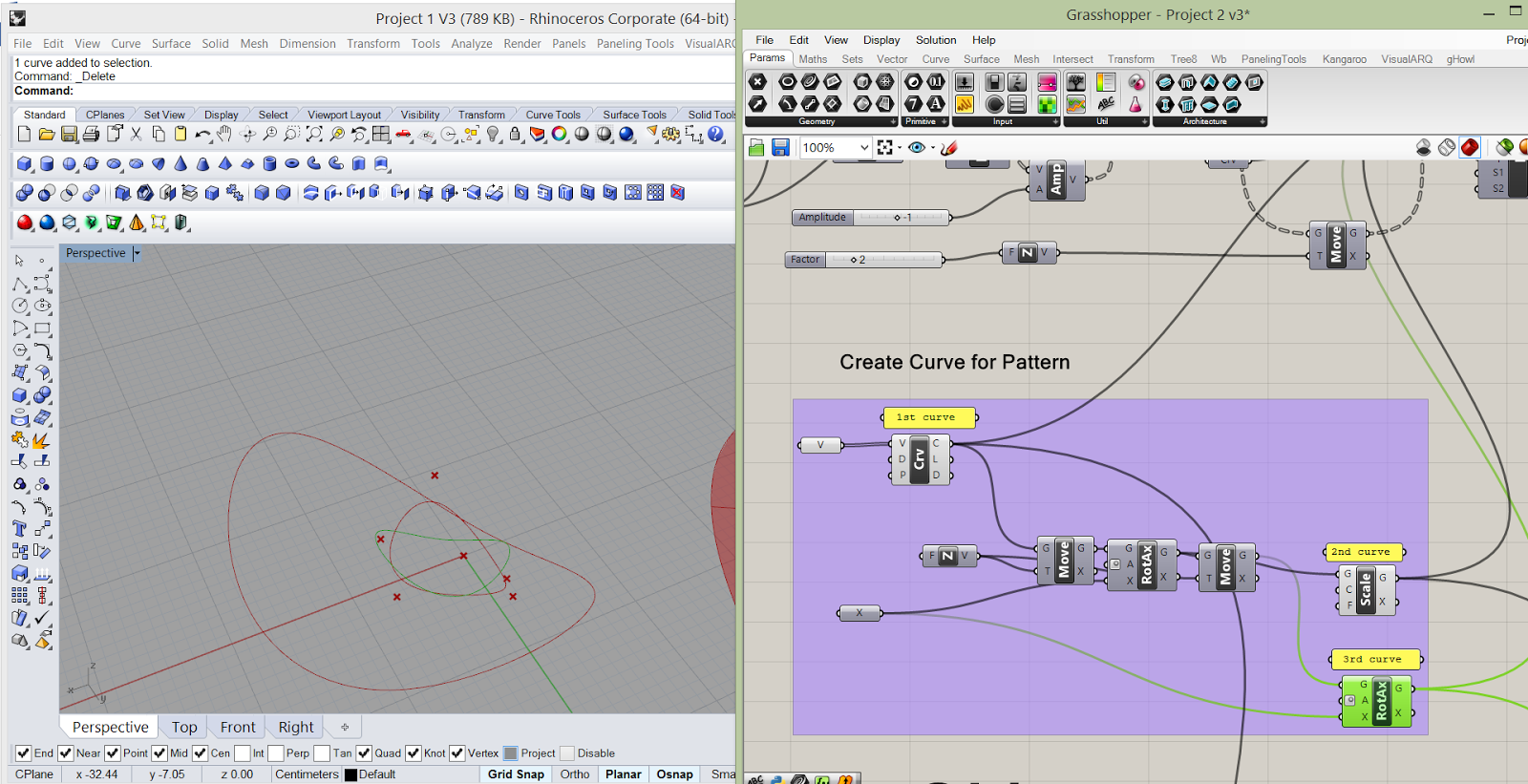
1.      Use the surface created from Project1, which was generated from “Loft”. Even if the surface had some trimmed area, the new skin will ignore this “hole”. So I just use the untrimmed surface.


2.      Create several curves to prepare for future module.

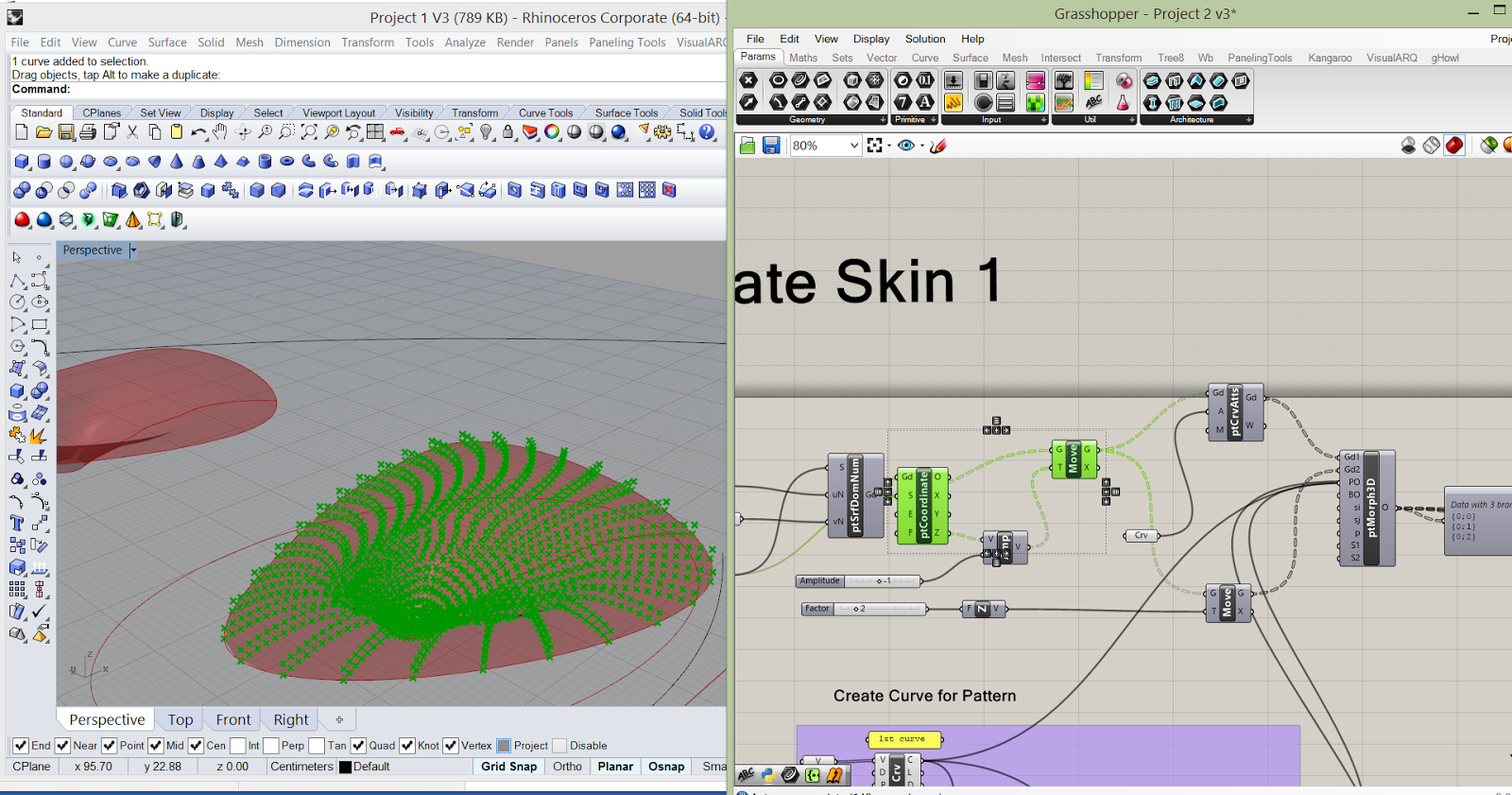
3.      Divide the surface into grids and make coordinates.


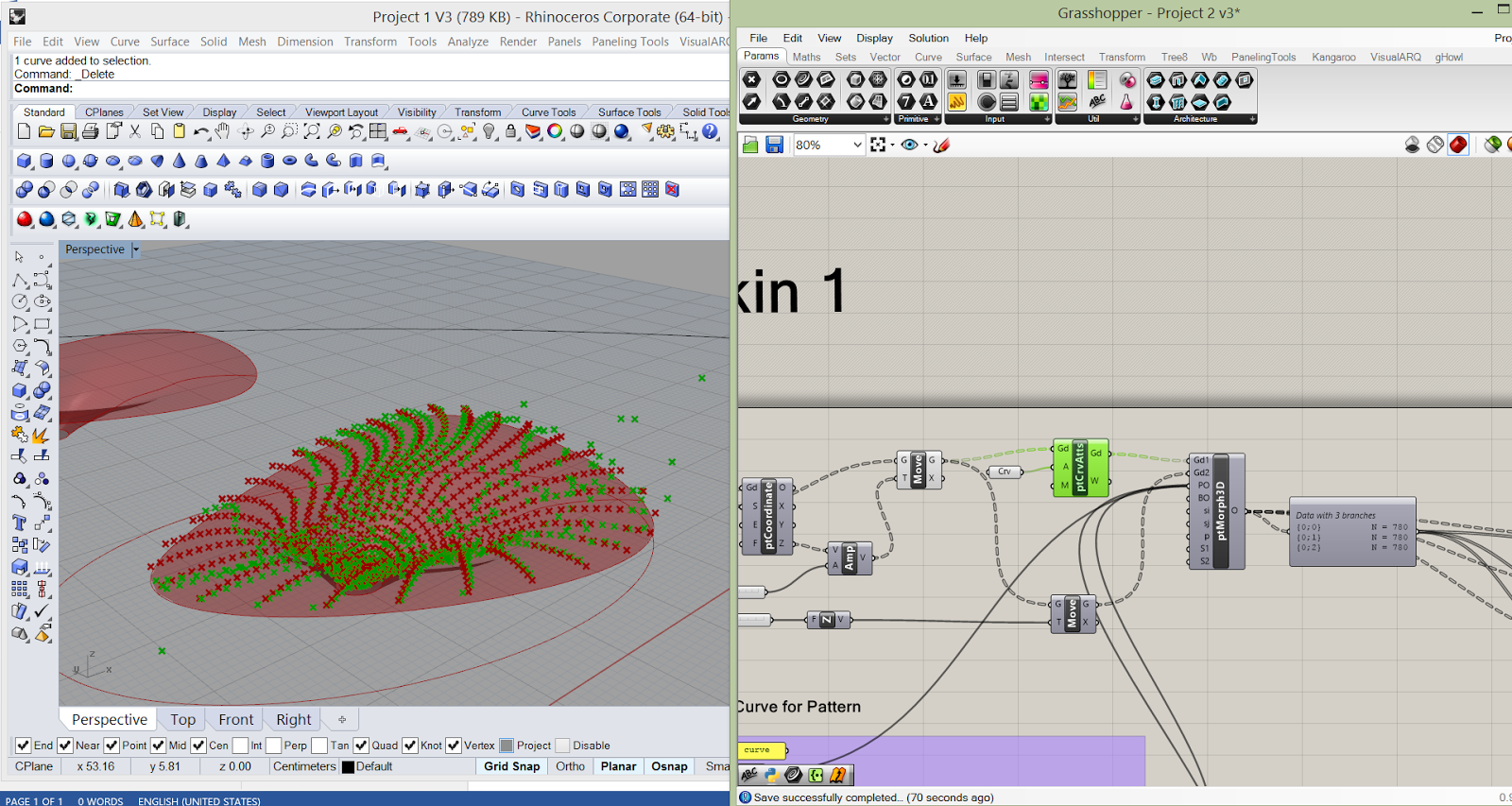
4.      Change the grid a little bit and use Morph3D to morph curves onto the grid points.
5.      Loft the curves and create the pattern.

Some Tips:
1.      Use cull pattern to change the grid pattern

2.      Use Attractor to change the point location and the pattern.

Method2
1.      Same as method1.
2.      Create several curves and loft them.

3.      Same as method 1.
4.      Use Morph3D to morph the loft surface onto the grid points.

Comparison between method 1 and method 2:
Method 2 is relatively easier.
Script Method:
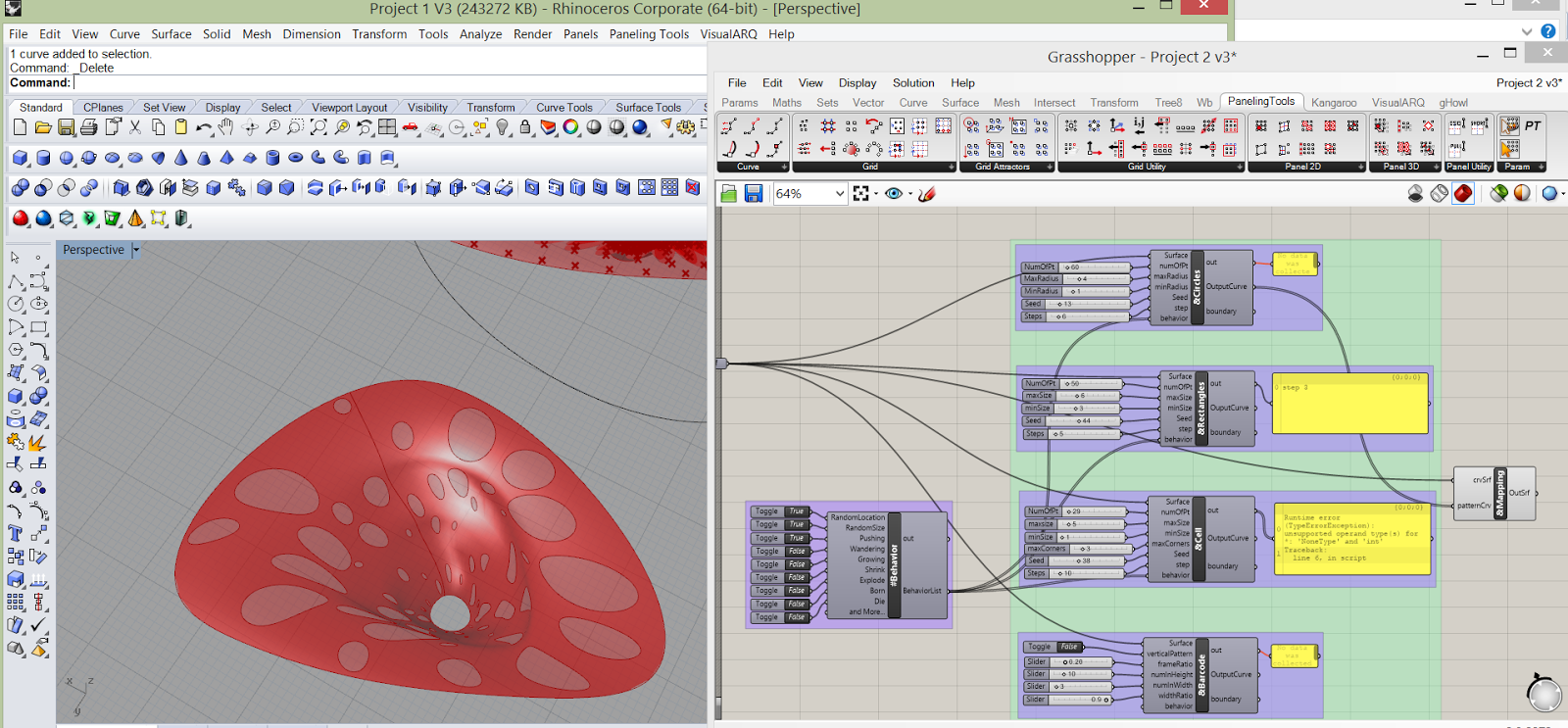
1.      Get the source (from Chengde Wu)
2.      Adjust the volume of surface in case the computation take too much time
3.      Adjust the data


Comparison:
Random pattern:
The script developed by Chengde Wu has the choice of random size and random location, so the pattern can be changed easily. The paneling tools are confined by the grid pattern that randomness of location and size might not be achieved. But some other functions like GridAttractors can change the pattern on some particular way.

Pattern Shape:
The script developed by Chengde Wu has some limits on the pattern module shape, since it only had 4 choices. For paneling tool, the forms of module is various. Basically as long as there is a grid pattern, you can attach any shape onto it.
The script pattern is more like engraving patterns onto a material, while the paneling tool is more like using small units and assemble them to a big system.

Stableness and Time:

The script method takes some time for computation, and it is easy to get stuck. The paneling tool can be more smoothly during the process.

Video


2014年3月24日星期一

Arch 689 Project 1 Design Description


Design Description

Introduction

For the model I created in project 1, I need to make a greenroof of a unique building, which has two holes and a column. The holes can be seen as skylight and the column seems to be a funnel. The images are from http://www.servo-la.com/index.php?/projects/sholm-house/. I simplify the model, which means no steps or walls.

Method 1

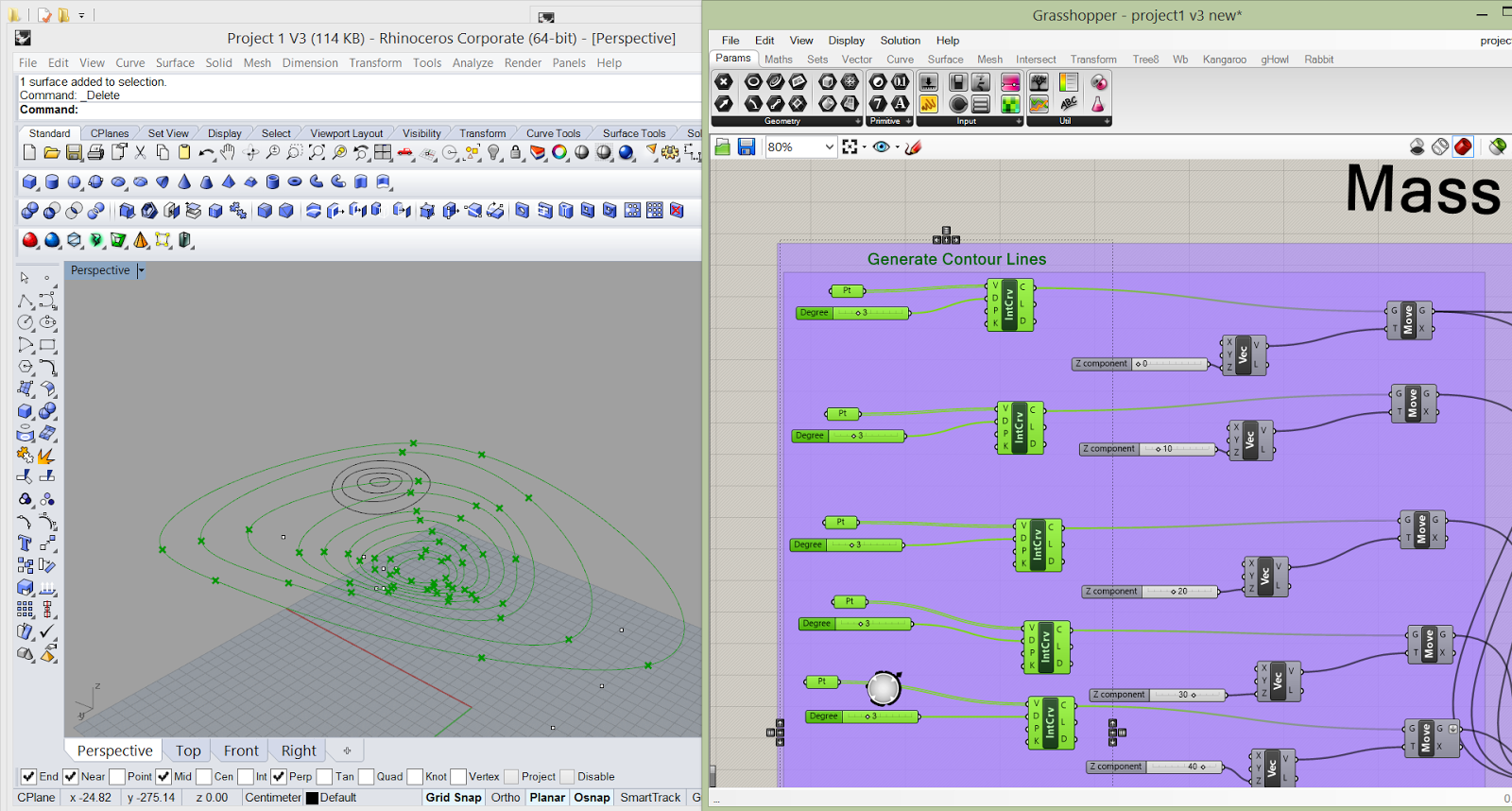
1.      Create several curves. When make the interpolate curves, I need to start with the same direction to ensure the loft surface not in distortion.


2.      Move the curves to different elevation. Because the top curve is angled, I use “rotate” to tilt the rooftop. Then I started to connect the elevated curves and the rotated curve to loft the surface (loft 1). Some tips on loft:


a) Check the “aligned section” of loft option.
b) Select curve with order, either top to bottom or bottom to top.
c) Curves should be drawn from same direction, either clockwise or counterclockwise.
3.      Create two surfaces, extrude them and trim with the loft surface (loft 1).

4.      Create the column:


1)      Create several curves and lift them to different elevation.
2)      Project the highest curve on the loft surface.
3)      Loft all the lifted curves together with the projected curve to make another funnel like surface (loft 2).
4)      Cap the holes and trim the new solid with a box to make a column.
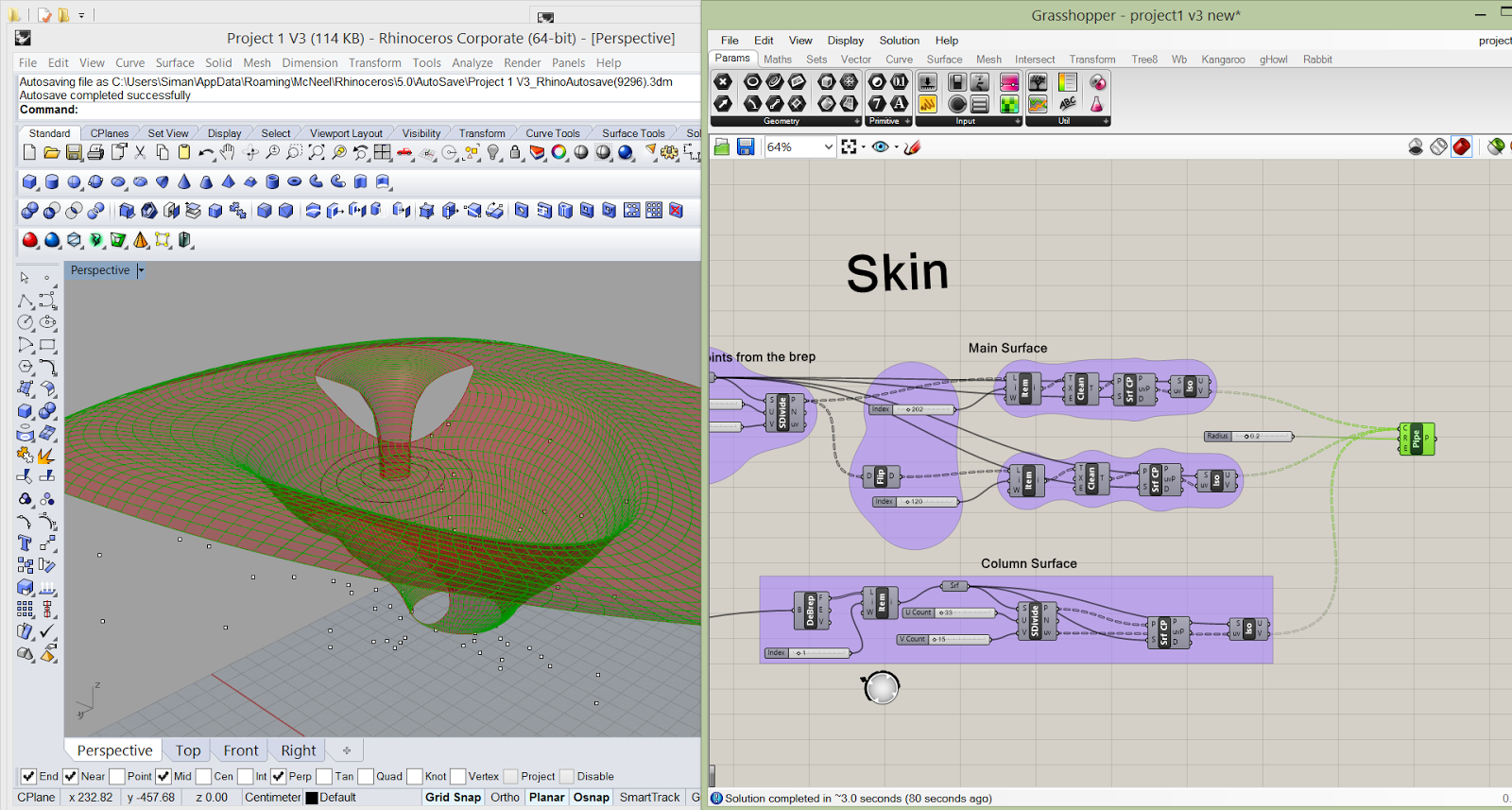
5.       Start to create skin:
Use the divide surface icon to make points on the trimmed surface from loft 1.

6.       Use isocurve Icon to make web, then pipe the web.


Kangaroo Physics Modeling

I use kangaroo as another method to generate the main surface
1)      Loft 3 curves and make a mesh

2)      Use uniforce and spring to generate forces on the mesh.

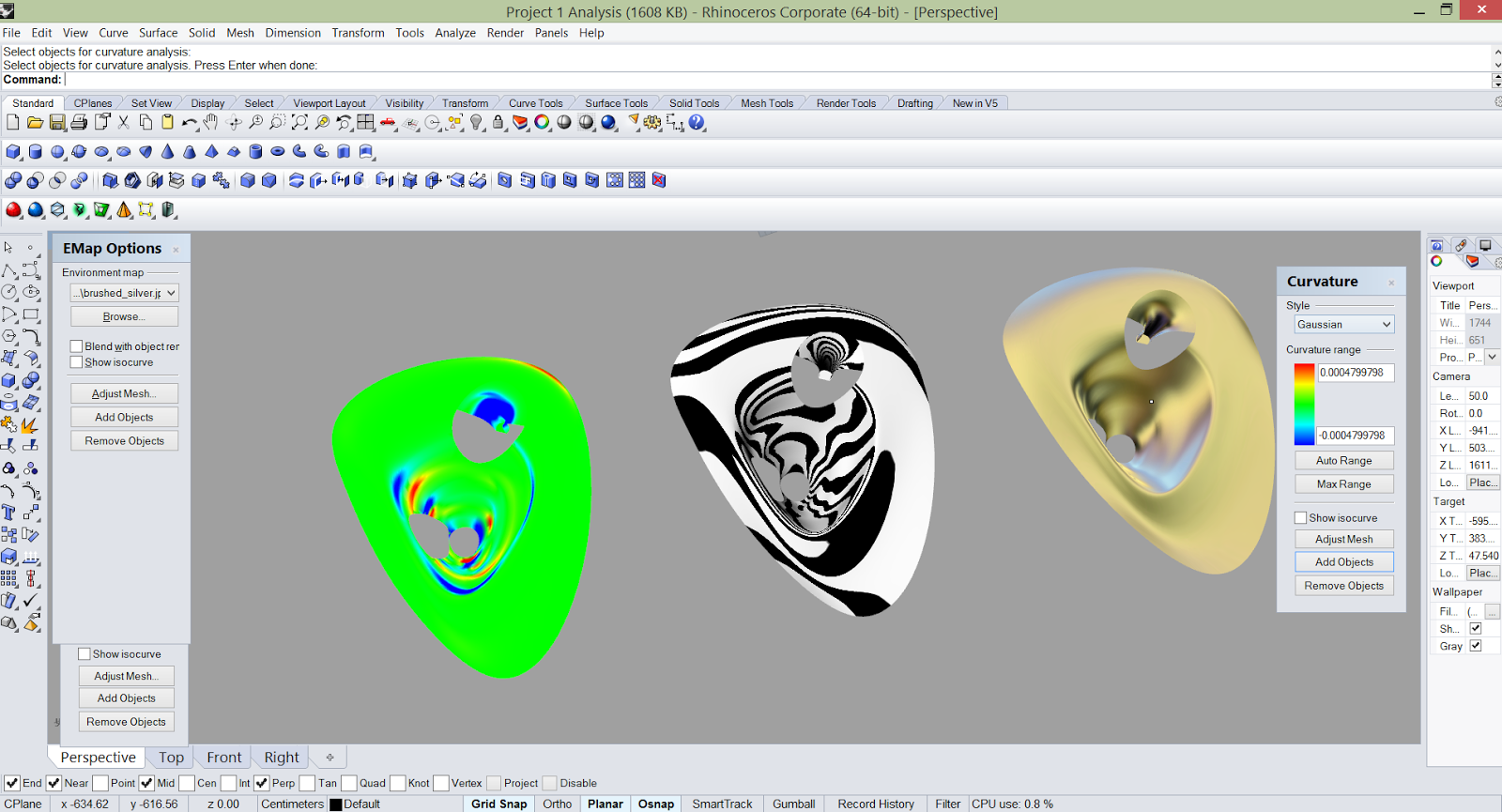
Analysis